Ask a few firms what a MuleSoft partner does and you will hear the same words in a different order: consulting, implementation, integration. Some firms treat them as three separate jobs, others as three names for the same one. If you are about to hire help, it is worth knowing which job you are actually buying.
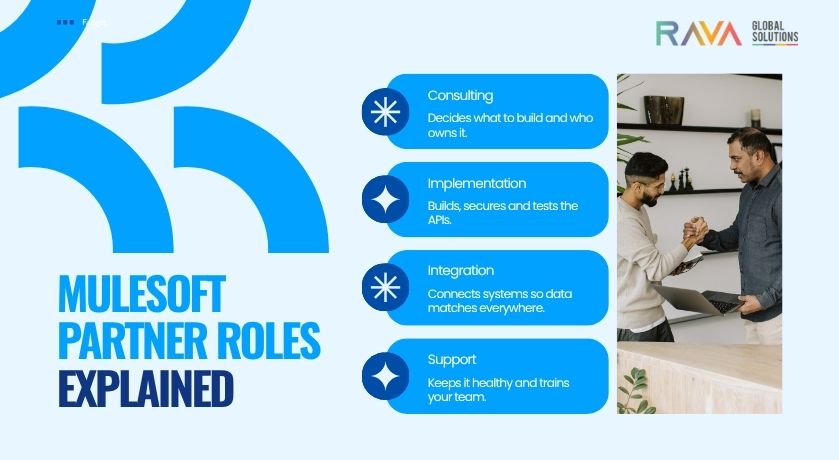
The short answer: a consulting partner decides what should be built and who owns it. An implementation partner builds and secures it. An integration partner connects it to the systems it has to talk to. Most firms do more than one, and most projects need all three. As a MuleSoft integration partner, we organize our own services around the same jobs, and a table further down shows how.
Follow one API from idea to production
Say the sales team wants to see order status from the ERP inside the CRM, and the customer portal team wants the same information. Here is who does what.
Who decides: the consulting partner
Before anyone builds anything, someone has to ask whether this should be one reusable API or two separate connections. That is the consultant’s job. They agree what the API should return, who owns it, who is allowed to use it and what good looks like. They also check whether MuleSoft is the right tool at all. Our post on MuleSoft versus traditional integration tools covers that question. A good consultant sometimes decides not to build something: if only one team and one system are involved, a simpler tool may do. The result is a short plan and a design the builder can work from.
Who builds: the implementation partner
The implementation partner builds the API on MuleSoft’s Anypoint Platform, following the layered approach MuleSoft calls API-led connectivity. They write the specification first, build the flows, apply the security rules (who may call the API and how often), test it with realistic data, and deploy it through test and production environments. The result is a working, secured, documented API, with the code stored somewhere you control.
Who connects: the integration partner
An API on its own doesn’t move any data. The integration partner connects it to the ERP, the CRM and the portal, and maps the fields so that an order number or a status means the same thing everywhere. They plan for the awkward moments, such as the ERP being down for maintenance, and set up alerts so someone is told when a flow fails. Common ways of doing this are covered in our guide to the top integration patterns in MuleSoft.
After launch, someone has to keep it all healthy. That is support, covered below.
The three partner types at a glance
| Partner type | The question they answer | Typical deliverables | What breaks if you skip it |
|---|---|---|---|
| Consulting | What should we build, who owns it, and is MuleSoft the right tool? | A plan, an API design, ownership and security rules, a cost estimate | Duplicate or throwaway APIs, and a platform nobody owns |
| Implementation | Is it built properly, secured and tested? | Working APIs, security rules, tested flows, environments, documentation | APIs that work in a demo and fail in production |
| Integration | Is the right data reaching the right systems, correctly? | Connections to each system, mapped fields, error handling, alerts | APIs with nothing behind them, or data that doesn’t match between systems |
What MuleSoft consulting services cover
Consulting is for the questions that come before the build, and for the point when integrations start multiplying. It typically covers strategy, API design, a review of what you already have, and a cost estimate. You need it before your first project, when each new integration seems to start from scratch, or when a project has stalled. Ask the firm to put its recommendation in writing, including what it would leave out for now.
What a MuleSoft implementation partner does
Implementation is the hands-on build: designing and coding the APIs and flows, applying security rules, testing, and deploying through your environments. The question to ask is about reuse. Can the next project use what has been built, or is every API a one-off? Also ask who owns the code at the end and how it will be tested.
What a MuleSoft integration partner does
Integration is the connecting work: linking each system, mapping fields so data matches, handling errors and setting up alerts. Look for experience with the systems you actually run, such as your ERP and CRM, not just with MuleSoft in general. Ask how a failed flow is noticed, and who is told. The usual weak point is that nobody watches the connections once the project ends.
Where support and training fit
Two things matter after launch, and they cut across all three jobs. Support means watching for failures, handling upgrades and making small changes. Training means your own people can read, change and monitor what was built. If every small change needs a call to the firm that built it, the project hasn’t really been handed over.
Which one do you need?
| Your situation | Start with |
|---|---|
| We aren’t sure MuleSoft is the right tool | Consulting |
| We know what we want built and need it done properly | Implementation |
| Our systems don’t share data and people re-key it | Integration |
| We have APIs, but nobody knows who owns them or whether they are reused | Consulting (a review), then support |
| Our integrations break and nobody notices | Support, with an integration review |
| We still run an older Mule version | Consulting for the plan, then implementation |
One firm or several?
One firm for all three gives you a single team to hold accountable and fewer gaps between stages. Specialists can bring deeper skill in one area, but you carry the hand-offs. Either way, ask each firm how it will hand over: who owns the code, what documentation you receive, and who can maintain it if you change partners.
How our MuleSoft services map to each type
| Service | Partner type | What it covers |
|---|---|---|
| MuleSoft consulting | Consulting | Planning, API design, platform fit and cost estimate |
| MuleSoft implementation | Implementation | Building, securing, testing and deploying APIs and flows |
| MuleSoft integration | Integration | Connecting systems, mapping data, error handling and alerts |
| MuleSoft support and managed services | Ongoing, across all three | Monitoring, fixes, upgrades and training after launch |
Our advice before you start
Before you hire anyone, write down the three systems that cause the most manual re-entry in your business. A partner can only tell you whether you need one API or three, and who should own each, if it can see the real list. It also gives you something concrete to compare proposals against.
Talk to RAVA
If you are looking for a MuleSoft partner in the USA to plan, build or connect, we can start with the systems that cause you the most pain. Talk to our MuleSoft team and we will help you work out which type of help you need.
Frequently asked questions
What does a MuleSoft partner do?
A MuleSoft partner helps you decide what to connect, then designs, builds, secures and supports the APIs and integrations on MuleSoft’s platform. Depending on the firm, that can include planning, building, connecting your systems, monitoring and training your team.
What is the difference between a MuleSoft implementation partner and an integration partner?
An implementation partner builds and secures the APIs on the platform. An integration partner connects those APIs to your systems and makes sure the data arrives correctly. Most projects need both, and many firms offer both.
Do I need a MuleSoft partner, or can my developers handle it?
A capable in-house developer can handle a small, single integration. A partner earns its fee when many systems are involved, when security and reuse matter, or when you need results faster than hiring allows. A good middle route is to have a partner build the first integrations and train your team to look after them.
Who owns the APIs a partner builds?
You should. The code, documentation and settings should sit in accounts and repositories you control. Ask this before signing, and make it part of the contract.