Spreadsheets are hard to replace because they are easy to start with.
A small business can use Excel or Google Sheets to track sales, inventory, expenses, employees, projects, purchasing, and customer information without much difficulty.
At first, it works.
Then the business grows.
More employees need access. More customers are added. More transactions take place. Different departments start maintaining their own spreadsheets. Reports become more complicated. People create copies of files to work on them simultaneously.
Eventually, the business may have dozens—or even hundreds—of spreadsheets supporting critical operations.
That’s when a useful tool can quietly become an operational liability.
The problem isn’t spreadsheets themselves. The problem is relying on them as the primary system for managing a growing business.
Executive Summary
Spreadsheet dependency develops gradually.
A company may begin with one simple sales tracker, then add separate files for inventory, purchasing, expenses, customer information, employee records, and reporting.
As the organization grows, this creates several problems:
- Multiple versions of the same information
- Manual data entry
- Duplicate or inconsistent records
- Limited visibility across departments
- Increased reporting effort
- Greater risk of human error
- Difficulty controlling access
- Processes that depend heavily on individual employees
The result is often business inefficiency that isn’t immediately visible on the balance sheet.
For growing companies, the answer isn’t necessarily to eliminate spreadsheets completely. Instead, leadership should identify which processes have outgrown spreadsheets and determine where an integrated ERP system can provide better control, automation, and visibility.
For businesses considering that transition, RAVA Global Solutions provides Odoo Implementation Services.
Why Businesses Become Dependent on Spreadsheets
Spreadsheet dependency rarely happens because someone deliberately designed the business around spreadsheets.
It usually happens because spreadsheets solve immediate problems.
A manager needs a quick sales report.
Someone creates a spreadsheet.
The warehouse needs an inventory tracker.
Another spreadsheet appears.
Finance needs a budget model.
Another file is created.
Marketing needs a customer list.
Another copy is circulated.
Each decision makes sense individually.
The problem emerges when all these disconnected files become part of the company’s daily operating infrastructure.
The business starts depending on spreadsheets not because they are the best solution, but because they have become familiar and deeply embedded in existing workflows.
The Hidden Costs of Spreadsheet Dependency
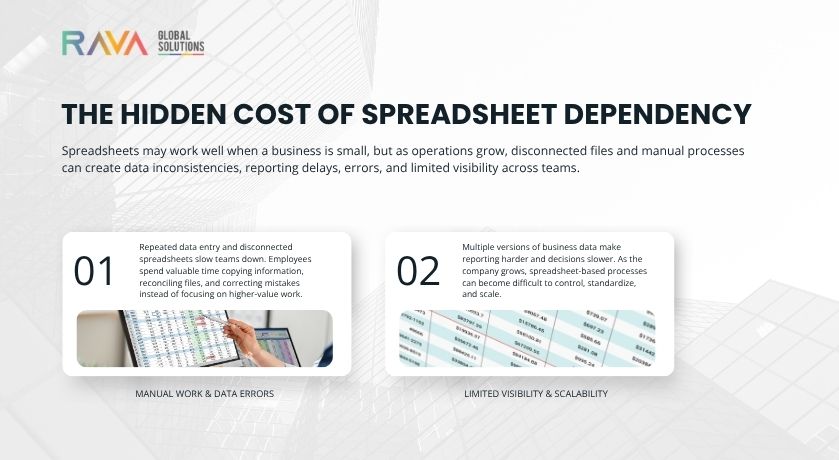
The biggest spreadsheet costs aren’t always obvious.
You may not see a line item on your financial statements called “spreadsheet inefficiency.”
Instead, the costs appear through lost time, errors, delays, duplicated work, and poor decision-making.
1.Manual Data Entry
One of the biggest problems occurs when employees repeatedly move information from one spreadsheet to another.
For example:
A salesperson updates a customer order.
The information then needs to reach:
- Finance
- Inventory
- Purchasing
- Operations
- Customer service
If each department maintains a separate spreadsheet, someone may have to manually copy or re-enter the information.
Every additional handoff creates another opportunity for:
- Typing mistakes
- Missing information
- Delays
- Duplicate records
- Incorrect calculations
As transaction volumes increase, these small inefficiencies become increasingly expensive.
2.Multiple Versions of the Truth
Imagine three departments reporting different inventory numbers.
Sales says:
1,250 units
Warehouse says:
1,180 units
Finance has a spreadsheet showing:
1,210 units
Which number is correct?
This is one of the fundamental problems created by disconnected spreadsheets.
Different teams may maintain their own version of the same information.
The result is not necessarily bad data.
It is uncertain data.
And uncertainty makes decision-making harder.
An integrated ERP can provide departments with a shared operational data environment instead of requiring everyone to maintain separate versions.
3.Spreadsheet Errors Can Become Business Errors
A small formula error may not seem significant.
But what happens when that spreadsheet is used to calculate:
- Inventory requirements
- Customer pricing
- Sales commissions
- Cash flow
- Purchasing requirements
- Monthly forecasts
- Production schedules
The spreadsheet itself may only contain a small mistake.
The business consequence can be much larger.
The more important the process, the greater the risk of relying on manually maintained files without appropriate controls.
4.Reporting Becomes a Time-Consuming Exercise
Leadership often wants answers quickly.
How much did we sell this month?
Which products are performing best?
Which customers are overdue?
How much inventory do we have?
Which purchase orders are still outstanding?
With integrated systems, these questions can often be answered from centralized operational data.
With spreadsheets, employees may need to:
- Collect files from different departments
- Check whether everyone used the latest version
- Clean inconsistent information
- Combine data
- Remove duplicates
- Check formulas
- Build reports
- Repeat the process next month
The report may eventually be accurate.
But the time required to produce it is an invisible operational cost.
5.Knowledge Becomes Trapped With Individuals
Another overlooked problem is employee dependency.
Consider a business where one employee maintains the “master” inventory spreadsheet.
That person knows:
- Which columns matter
- Which formulas should not be changed
- Which tabs contain the latest data
- Which cells are manually adjusted
- Which external files need to be updated
What happens when that employee is unavailable?
The company may technically own the spreadsheet.
But the knowledge required to operate it belongs to one person.
As businesses grow, this becomes a significant operational risk.
Processes should increasingly belong to the organization—not to individual employees who happen to know how a particular spreadsheet works.
6.Spreadsheets Don’t Scale Like Businesses Do
A spreadsheet may work perfectly for a business with five employees and a few hundred transactions.
The same approach becomes increasingly difficult when the organization has:
- Multiple locations
- Large customer databases
- Complex inventory
- Multiple warehouses
- Growing sales teams
- International operations
- Multiple currencies
- Increasing transaction volumes
The issue isn’t that Excel suddenly stops working.
The issue is that the business has become more complex than the process the spreadsheet was designed to support.
A Simple Comparison
| Business Need | Spreadsheet-Dependent Approach | Integrated ERP Approach |
|---|---|---|
| Customer information | Multiple files and lists | Centralized customer records |
| Inventory | Manual updates | Connected inventory management |
| Purchasing | Separate trackers | Integrated purchasing workflows |
| Reporting | Manual consolidation | Centralized reporting |
| Data entry | Repeated across departments | Automated information flow |
| Approvals | Email and spreadsheet-based | Structured workflows |
| Visibility | Department-specific | Cross-functional |
| Process control | Employee-dependent | System-supported |
The goal isn’t to suggest that every spreadsheet should disappear.
Spreadsheets remain useful for analysis, planning, ad hoc calculations, and many specialized tasks.
The concern begins when spreadsheets become the operating system of the business.
When Should a Business Consider ERP Migration?
There isn’t a single revenue number or employee count that determines when a company needs an ERP.
Instead, look for operational warning signs.
You may have outgrown spreadsheets when:
Your teams enter the same information multiple times.
Different departments have different versions of the same data.
Employees spend hours every week preparing reports.
Managers don’t have real-time visibility into operations.
Inventory numbers are frequently disputed.
Approvals happen through email or manually updated files.
Employees rely on personal spreadsheets to complete core processes.
A single employee understands how a critical spreadsheet works.
Your business is adding locations, products, customers, or departments faster than your systems can adapt.
These signs indicate that the problem isn’t really “too many spreadsheets.”
The underlying issue is process fragmentation.
ERP Migration Is More Than Moving Data
Businesses sometimes think ERP migration means taking their spreadsheets and importing them into a new system.
That’s only one part of the process.
A successful ERP transition should also examine how the business works.
Before migration, organizations should identify:
- Which spreadsheets are actually business-critical
- Which processes should be automated
- Which information should become centralized
- Which data needs cleaning
- Which workflows need redesigning
- Who should have access to what
- Which reports leadership actually needs
- Which manual processes should be eliminated
This is why ERP implementation should be treated as a business transformation project rather than simply a software installation.
From Excel to Odoo: A More Connected Approach
For many growing businesses, moving from spreadsheet-dependent processes to an ERP can provide an opportunity to connect functions that previously operated independently.
Odoo can bring areas such as:
- CRM
- Sales
- Purchasing
- Inventory
- Accounting
- Manufacturing
- Project management
- Marketing
- Human resources
into a more integrated business environment.
Instead of maintaining separate spreadsheets for every department, organizations can build connected workflows where information moves through the appropriate processes.
For businesses starting to evaluate this transition, our guide on From Excel to Odoo: A Small Business Guide to Digital Transformation explores the move from spreadsheet-based processes toward a more integrated ERP environment.
The Real Value Isn’t “Fewer Spreadsheets”
Reducing the number of spreadsheets isn’t the ultimate goal.
The real objective is to improve how the business operates.
An ERP can help organizations move toward:
Better Visibility
Leadership can access information from connected business processes rather than waiting for multiple departments to compile reports.
Less Manual Work
Information can flow between processes instead of being repeatedly re-entered.
Greater Accountability
Processes and approvals can be structured within the system.
Better Data Consistency
Teams work from shared information rather than maintaining disconnected versions.
Easier Scaling
New employees, locations, products, and processes can be incorporated into a structured operating environment.
Don’t Automate a Broken Process
There is one important warning.
Moving from spreadsheets to ERP doesn’t automatically fix inefficient processes.
If the existing process is unnecessarily complicated, simply reproducing it in a new system can make the problem more difficult to change later.
Before implementing an ERP, businesses should ask:
Why do we do this process this way?
Who actually needs this information?
Can some of these steps be eliminated?
Can the process be automated?
Where does approval genuinely add value?
This process-first approach can make ERP implementation significantly more valuable.
RAVA Global Solutions can help businesses evaluate these operational requirements as part of an Odoo implementation, rather than treating the project as simply a software deployment.
What Happens After ERP Implementation?
ERP implementation shouldn’t be considered the finish line.
Once the system is live, organizations need to monitor:
- User adoption
- Data quality
- Workflow efficiency
- Reporting requirements
- System performance
- New business requirements
As the company changes, the ERP environment should evolve with it.
The objective is to create a system that supports growth rather than becoming another source of operational complexity.
Our article Top 10 Real-World Business Problems Solved by Odoo ERP explores how an ERP can address broader operational challenges beyond spreadsheet replacement.
The Executive Takeaway
Spreadsheets are not the enemy.
For many businesses, they are useful and necessary tools.
The problem begins when critical business processes depend on manually maintained, disconnected spreadsheets that no longer match the complexity of the organization.
At that point, the hidden costs can include:
- Lost employee time
- Data inconsistencies
- Reporting delays
- Operational errors
- Poor visibility
- Process dependency
- Difficulty scaling
The right response isn’t necessarily to eliminate every spreadsheet.
It’s to identify where spreadsheets are creating friction and determine whether those processes would benefit from an integrated system.
For growing businesses, that may be the point where ERP migration becomes less about technology and more about removing the operational barriers that are holding growth back.
Frequently Asked Questions
Is using spreadsheets bad for a business?
No. Spreadsheets remain useful for analysis, planning, calculations, and smaller operational tasks. Problems arise when critical business processes rely heavily on disconnected spreadsheets that require extensive manual maintenance.
How do spreadsheets create business inefficiency?
Spreadsheet dependency can create repeated data entry, duplicate information, manual reporting, inconsistent records, approval delays, and employee dependency. These inefficiencies become more significant as transaction volumes and organizational complexity increase.
When should a small business move from Excel to an ERP?
There is no universal employee or revenue threshold. A business should consider ERP migration when spreadsheets begin creating problems with data consistency, reporting, inventory visibility, approvals, workflow management, or scalability.
Does ERP completely replace spreadsheets?
Not necessarily. Businesses can continue using spreadsheets for analysis and specialized tasks. The goal is to move critical operational processes into a structured system while keeping spreadsheets where they provide genuine value.
What should a business do before migrating from spreadsheets to an ERP?
Start by mapping critical processes, identifying business-critical spreadsheets, cleaning important data, eliminating unnecessary steps, defining reporting requirements, and determining which workflows should be automated.
Why is data cleaning important before ERP migration?
Moving inaccurate or duplicated spreadsheet data into an ERP can transfer existing problems into the new system. Cleaning and standardizing important data before migration creates a stronger foundation for reliable ERP operations.
How can Odoo help reduce spreadsheet dependency?
Odoo can connect business functions such as CRM, sales, purchasing, inventory, accounting, manufacturing, and other operations within an integrated ERP environment. This can reduce the need to maintain separate spreadsheets for interconnected processes.